
A members-only directory your members can search.
FullRoster's members-only directory lets members find each other by name, region or section, with privacy controls every member sets for themselves.
Start free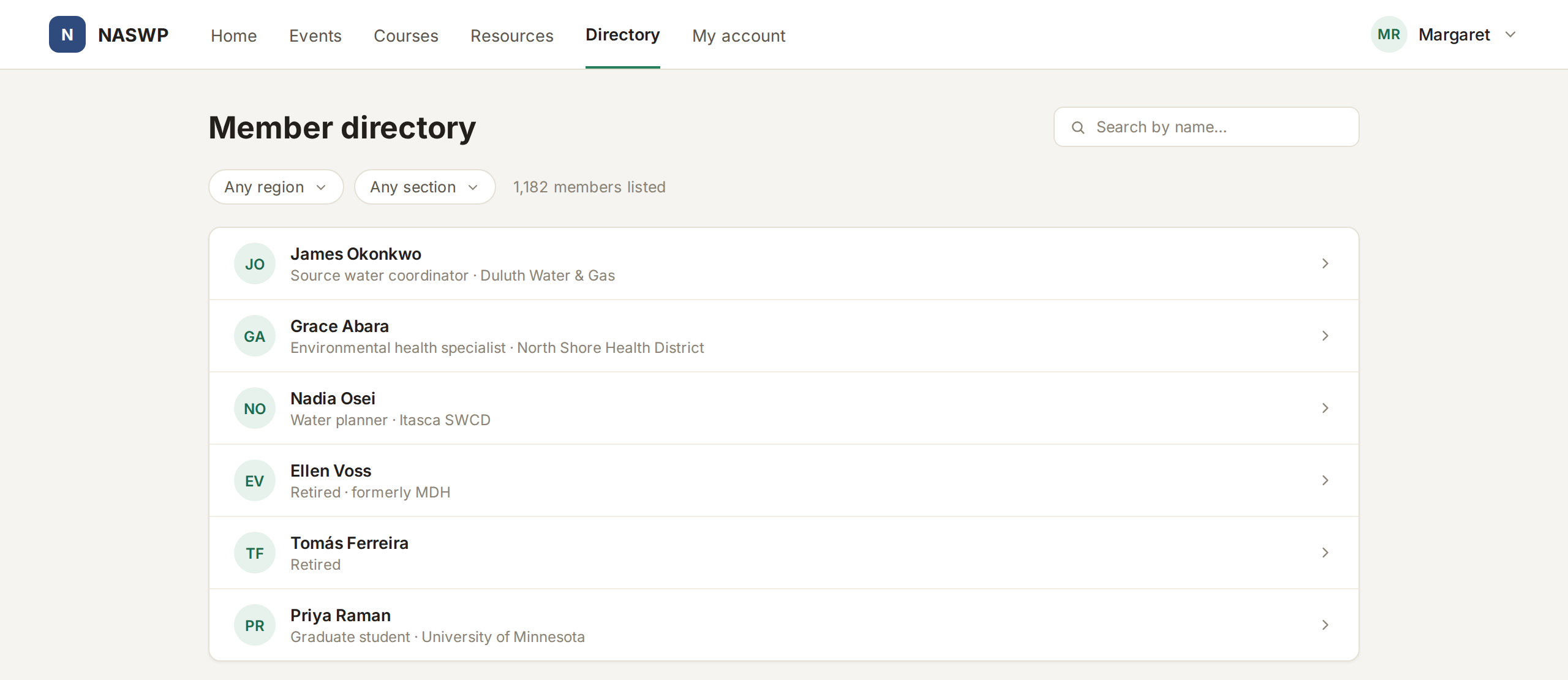
How the directory works.
Search and filters
One search box for names, plus the filters you choose, like region or section.
Privacy each member controls
Anyone can hide their listing or any field on it, and no setting of yours can override their choice.
Contact without showing emails
Messages go through you, with the sender's address to reply to. Email addresses are never on a listing.
A profile for every member
Each listing opens a profile with a photo, the fields you choose to show and the committees they sit on.
Everything in the member directory.
- A members-only directory
- Everyone in good standing listed
- Search by name, plus your own filters
- Filters you choose
- Filter by section, group or level
- Clean profiles with a photo and bio
- Members hide any field
- Members can leave the directory
- Privacy choices never overridden
- A contact form, emails never shown
- Replies go straight to the sender
- Every family member listed by name
- Committees shown on each profile
- Only members in good standing
- Works on any phone
If your directory works differently, we build it in.
Listings by specialty or license status, a public credential registry, a map of members. If the standard directory doesn't do it, our team builds it into your FullRoster, on the same system and at a fixed price.
Learn more →A public registry of certified operators
Say the public needs to find a certified operator nearby, and only members in good standing should appear. We can build a public search that checks standing automatically.
Help your members find each other.
It's free until you launch, and we'll move your member list over for you.