
QuickBooks sync that matches your bank.
Every time a payout lands in your bank, FullRoster writes one entry into QuickBooks Online that explains that exact deposit, split by what the money was for, fees included.
Start free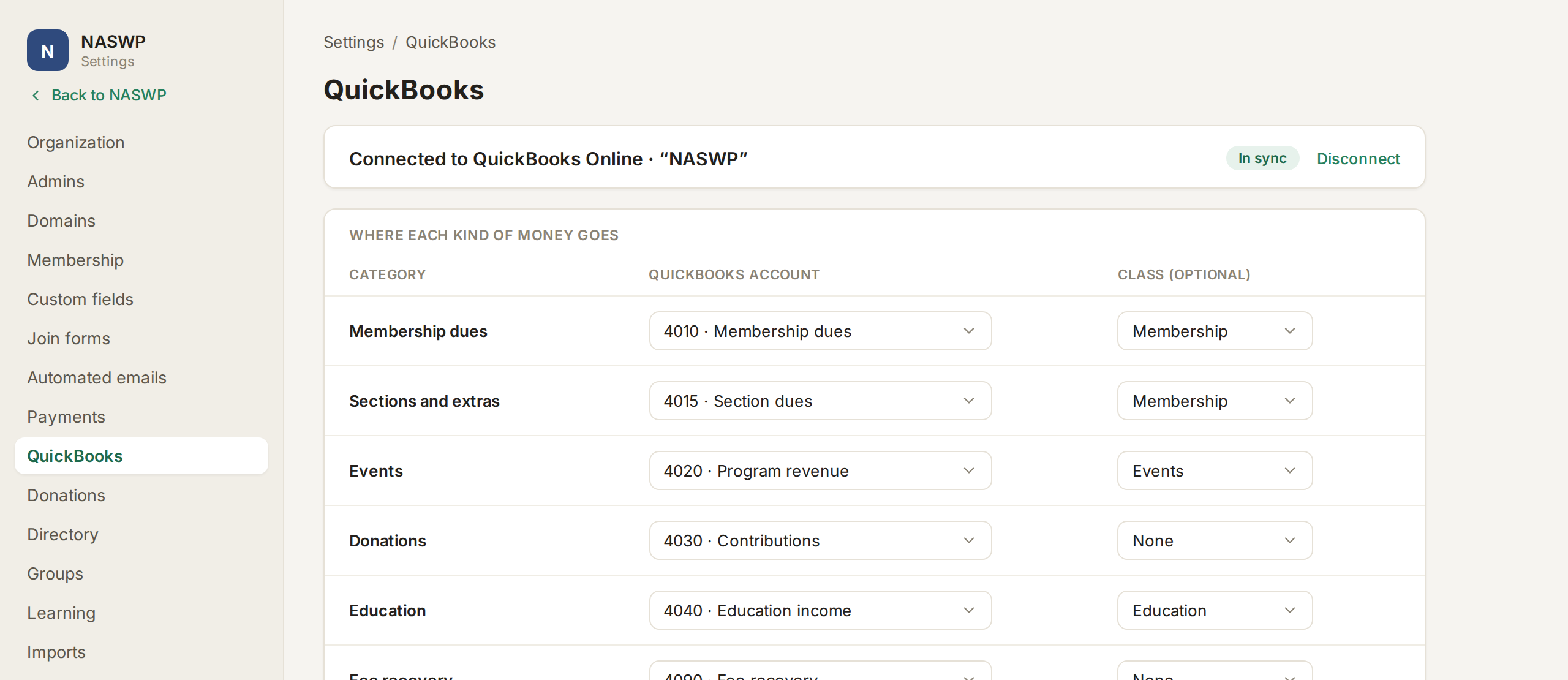
How the QuickBooks sync works.
One entry per deposit
$2,000 of income, minus $56.72 in card fees, equals the $1,943.28 in your bank, so your treasurer can match it in one click.
Set up once
Pick a QuickBooks account for each kind of income. We suggest defaults and can create any that are missing.
Classes for your 990
Tag each kind of income with a QuickBooks class if you like, which makes year-end reporting easier.
Payment details stay in FullRoster
QuickBooks gets the totals, and the payment-by-payment detail stays in FullRoster's Billing, ready to filter and export.
Everything in QuickBooks sync.
- QuickBooks Online connection
- One entry per payout
- Matches the bank deposit to the penny
- Income split by dues, events, donations and education
- Processing fees recorded as an expense
- Account mapping set up once
- Suggested defaults for every account
- Missing accounts created for you
- Optional QuickBooks classes
- Disputes and adjustments on their own line
- A payouts screen tied to each QuickBooks entry
- Per-member detail in Billing
- Offline payments summarized monthly
- Income by category, one question away
- Export any filtered list
If your books work differently, we build it in.
Restricted funds, a separate set of books for your foundation, accrual accounting, a different accounting system. If the standard sync doesn't fit, our team builds it into your FullRoster, on the same system and at a fixed price.
Learn more →A second set of books
Say your foundation keeps its own books, and gifts made at renewal have to land there. We can split each payout so every dollar posts to the right company.
Connect FullRoster to your QuickBooks.
It's free until you launch, and the QuickBooks sync is included.