
Reports you ask for in plain English.
Ask FullRoster a question about your members or money and get the answer as a list you can act on, then keep it as a report you can run again next month.
Start free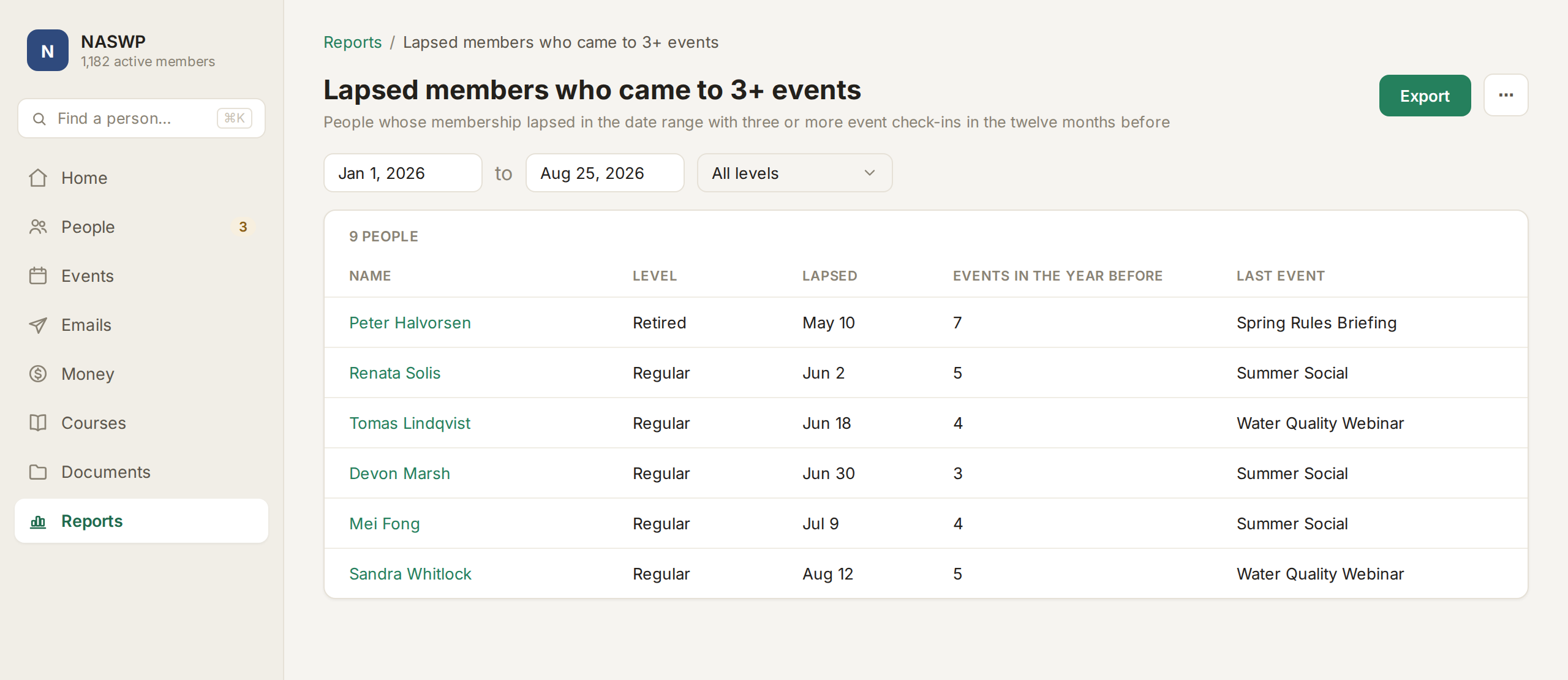
Ask questions, save reports and share them with your board.
Ask instead of building a report
Type a question the way you'd ask a colleague, from any screen, and get the answer from your own data.
Save any answer as a report
Any answer with rows becomes a saved report with a plain-English description and the dates you can change.
Board reports, ready on day one
Members by level, income by category and events with attendance and revenue come built in.
A dashboard for the board
Active members, renewal rate, this month's revenue and upcoming renewals are on the home screen every time you sign in.
Everything in Reports.
- Ask from any screen
- Answers in plain English
- Lists filtered from your answer
- Saved reports written for you
- Dates and levels you can change
- Members by level and movement
- Income by category, by month
- Events with attendance and revenue
- Aging receivables
- Lapsed and win-back lists
- A home dashboard for the board
- Active members over 12 months
- Renewal rate and revenue
- Export any report or list
- Our team steps in when Ask can't answer
If your reporting works differently, we build it in.
A grant report in your funder's format, a dashboard for chapter leaders, data sent to a state agency. If a saved report won't do, our team builds it into your FullRoster, on the same system and at a fixed price.
Learn more →A grant report in your funder's template
Say your state grant needs quarterly training hours by county, in their template. We can build the report so it's ready to send every quarter.
Get your board the numbers they ask for.
It's free until you launch, and three board reports are ready on day one.