
MemberSuite alternative
The MemberSuite alternative with prices you can see.
MemberSuite, now a GrowthZone product, is priced after a demo, with add-ons quoted separately. FullRoster publishes its prices, is free for up to 1,000 active members, and includes courses and CE credits on every plan. And we move your data over for you, at no cost.
Updated
Why do associations switch from MemberSuite?
$0
a year for up to 1,000 active members, with every feature included
Published
prices on our pricing page, with no demo needed to find out what you’d pay
Fixed
prices for anything specific to you, built into your FullRoster and maintained
Free
data migration from MemberSuite, done for you
What does FullRoster do?
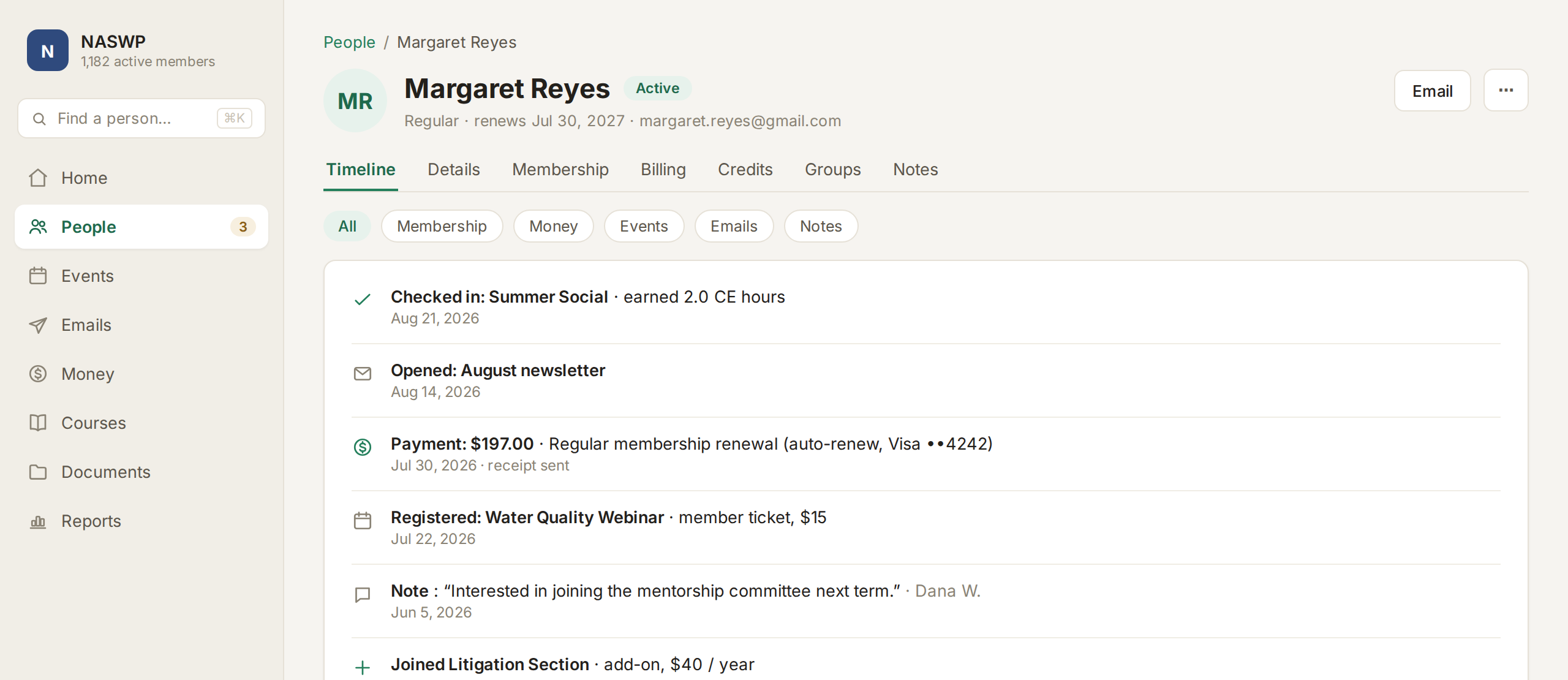
One record for every person
Every member's dues, events, emails, course credits and payments sit on one timeline your whole team can see. People who register for an event or donate become contacts automatically, and contacts never count toward your price.
- A timeline of everything each person has done
- Unlimited custom fields that become filters and columns
- Saved views like Lapsed or Prospects, ready to email
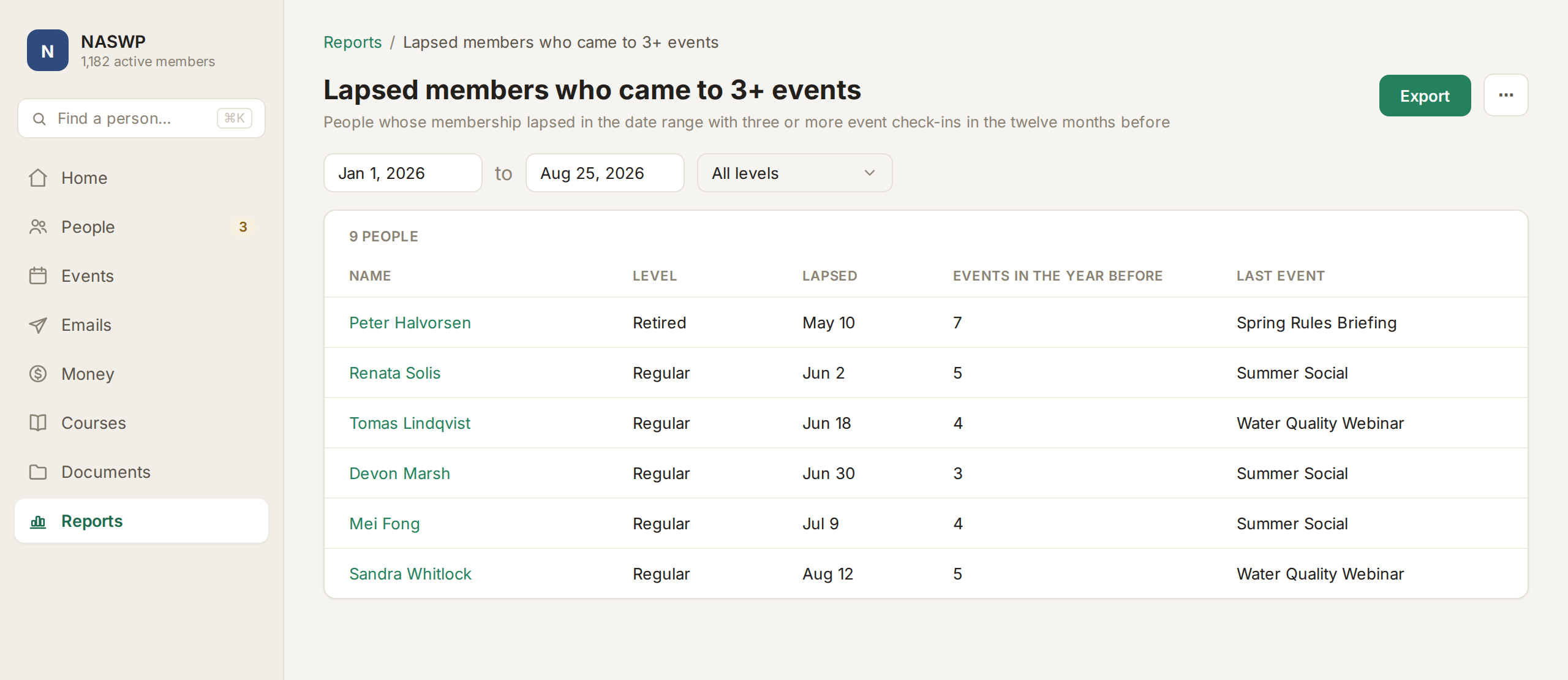
Ask anything about your members
Type a question the way you would ask a colleague, like which lapsed members came to three or more events, and get the answer from your own data as a list you can act on.
- Ask from any screen, in plain English
- Save any answer as a report you can run again next month
- Board reports and a dashboard built in from day one
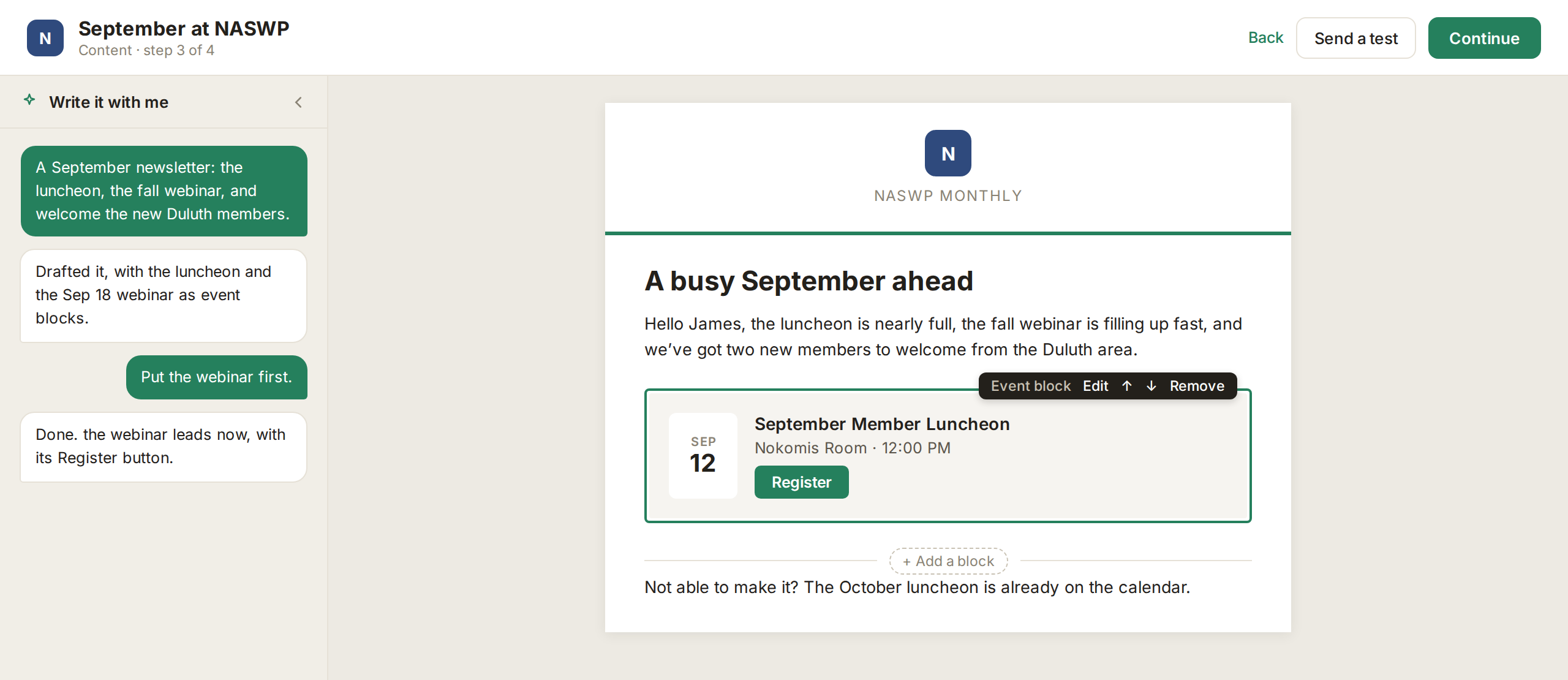
Newsletters drafted for you
Describe what's happening and FullRoster drafts the newsletter in your voice, with your upcoming events and a Register button. Send it to any level, section or group, from your own domain.
- A block editor that works in every inbox, no HTML needed
- Welcome, renewal and win-back series ready to go
- Opens and clicks logged on each person’s record
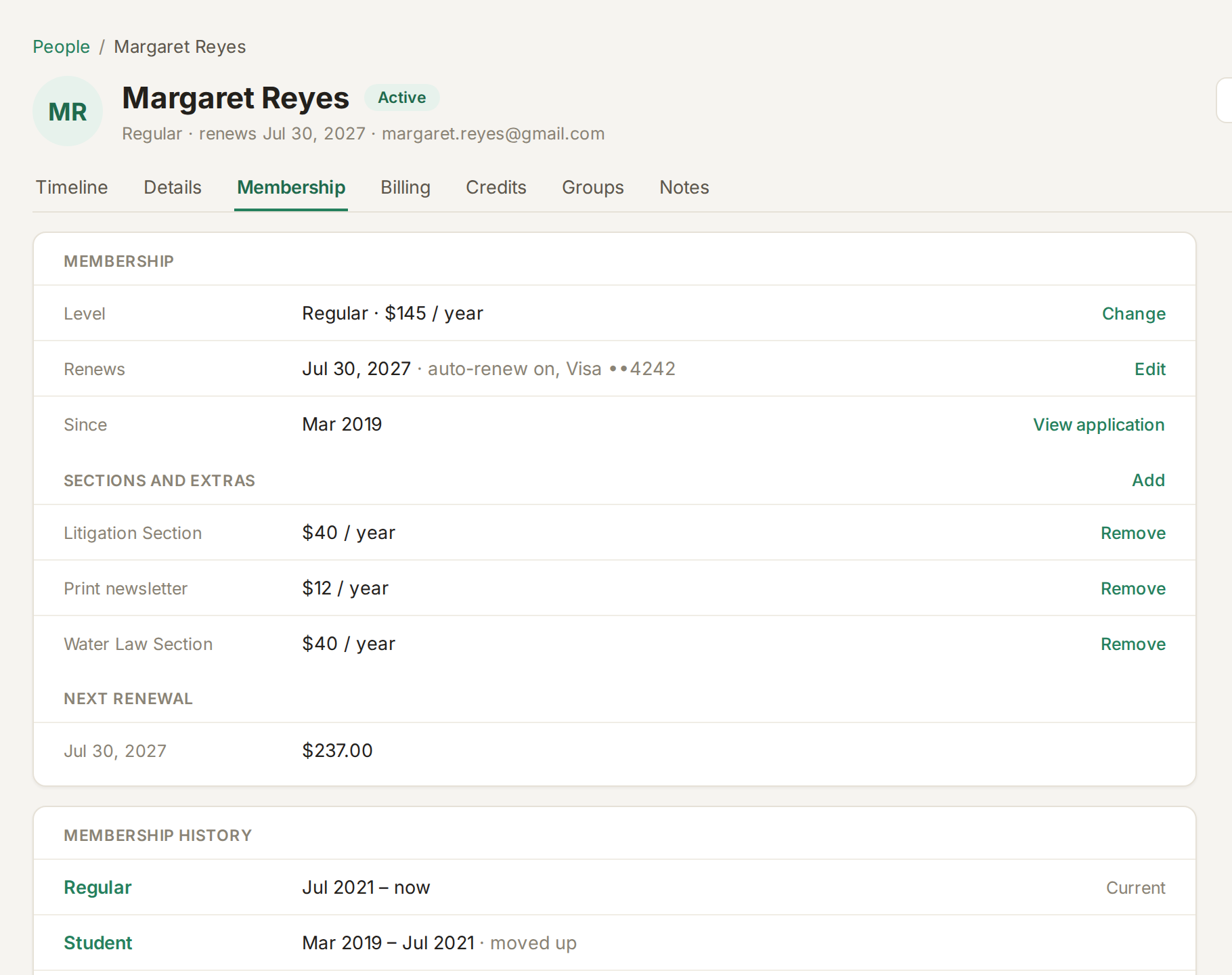
Renewals that run themselves
Members who pay by card renew automatically, with reminders before each renewal, retries for failed cards and a grace period before anyone lapses.
- Members choose auto-renew, an invoice, or not renewing
- Sections and extras on one invoice, prorated mid-year
- Applications approved before anyone is charged
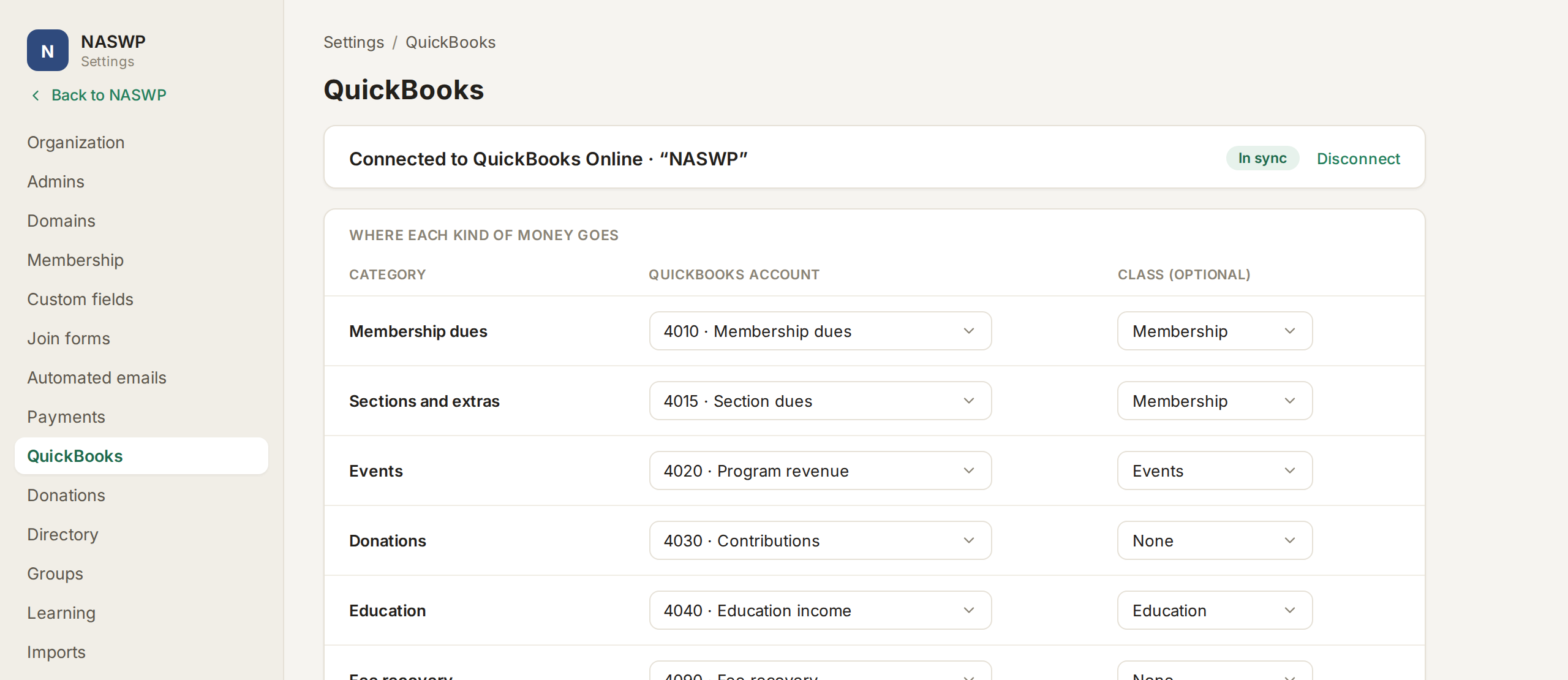
QuickBooks entries that match your bank
Each payout that lands in your bank becomes one QuickBooks Online entry that explains that exact deposit, split by dues, events, donations and education, fees included.
- Matches the bank deposit to the penny
- Account mapping set up once, with suggested defaults
- Optional QuickBooks classes for year-end reporting
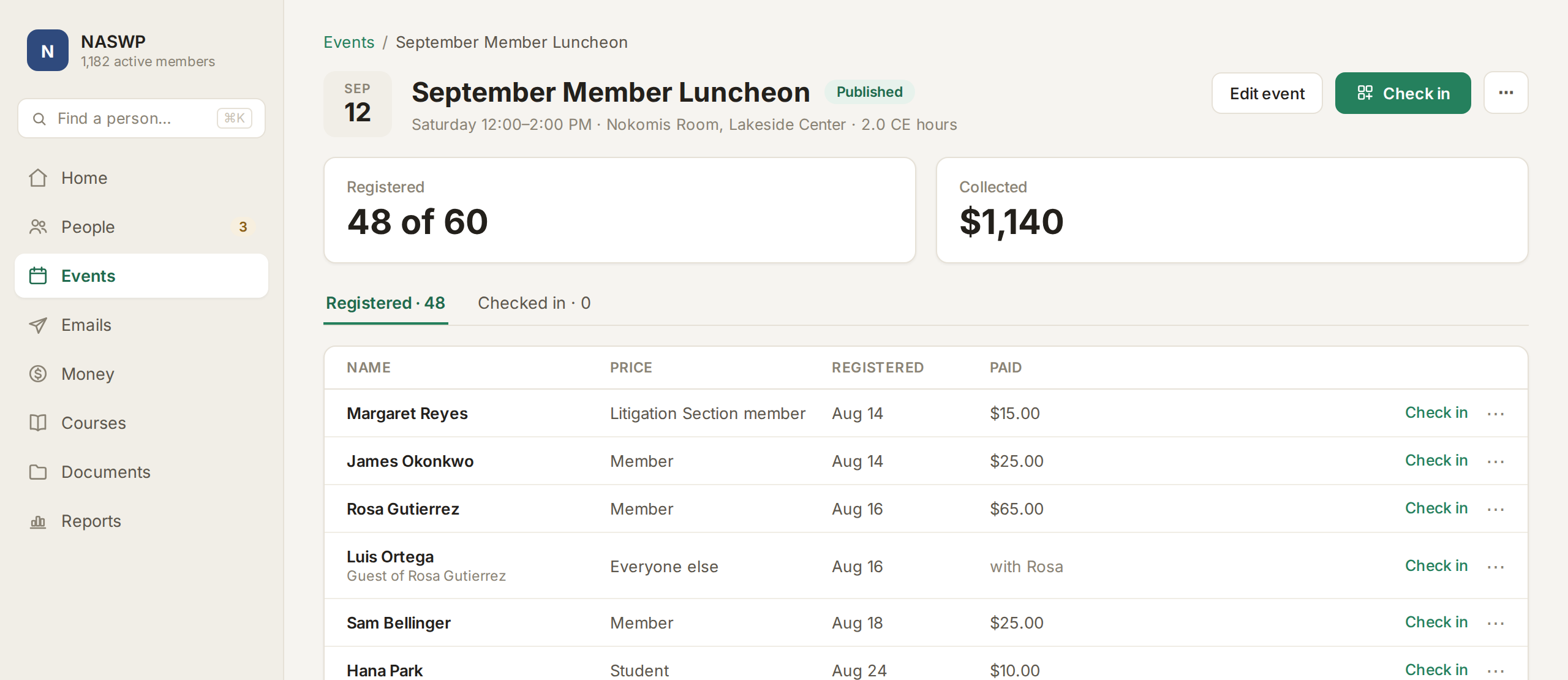
Events with member pricing and phone check-in
Members see their price when they sign in, with no promo codes to type. Check people in by scanning the QR code in their confirmation, and CE credits post at check-in.
- An event page drafted from one sentence
- Cancellations and refunds handled for you
- Confirmation, reminder and thank-you emails by default
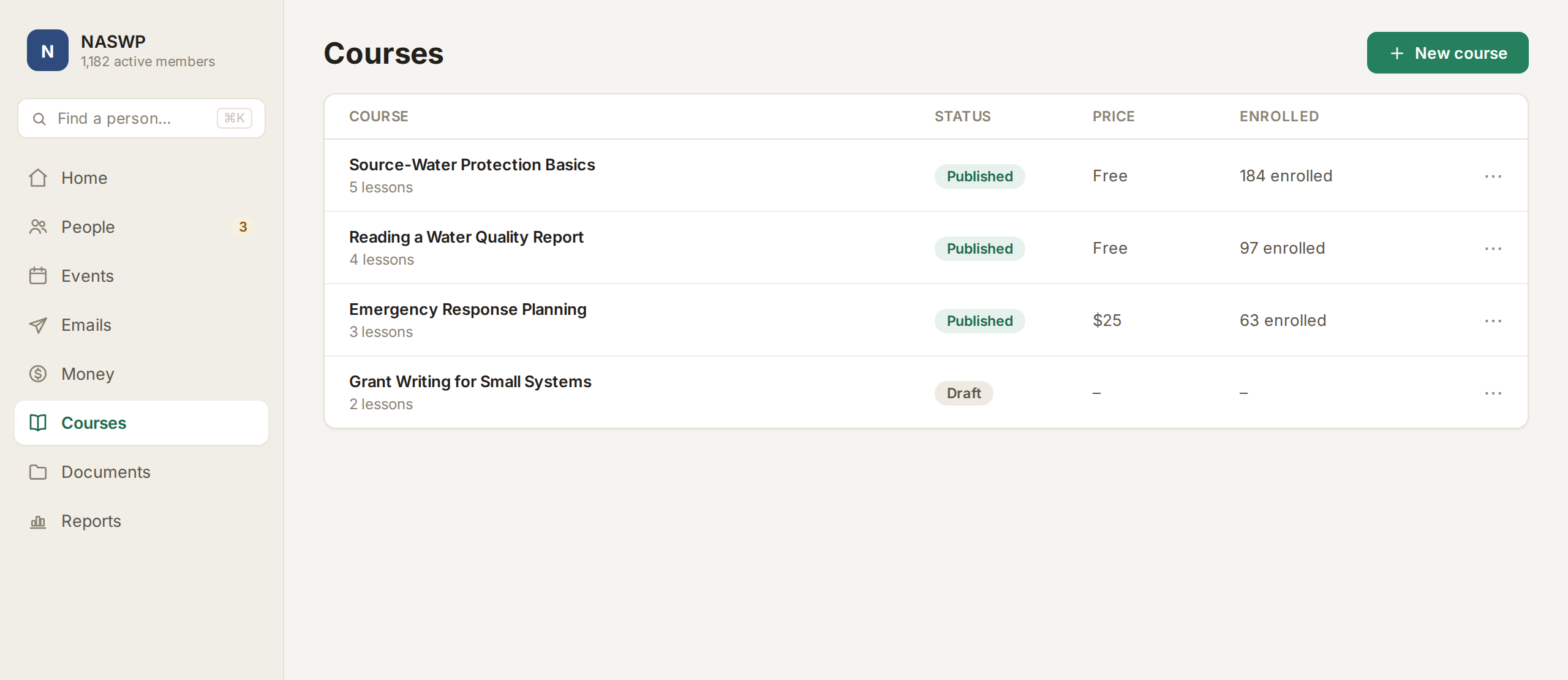
Courses and CE credits
Sell courses built from the YouTube, Vimeo or Zoom recordings you already have, add a quiz with a pass mark, and issue credits and certificates automatically.
- Credits from events and courses on every record
- A PDF certificate for every credit
- Member and non-member prices
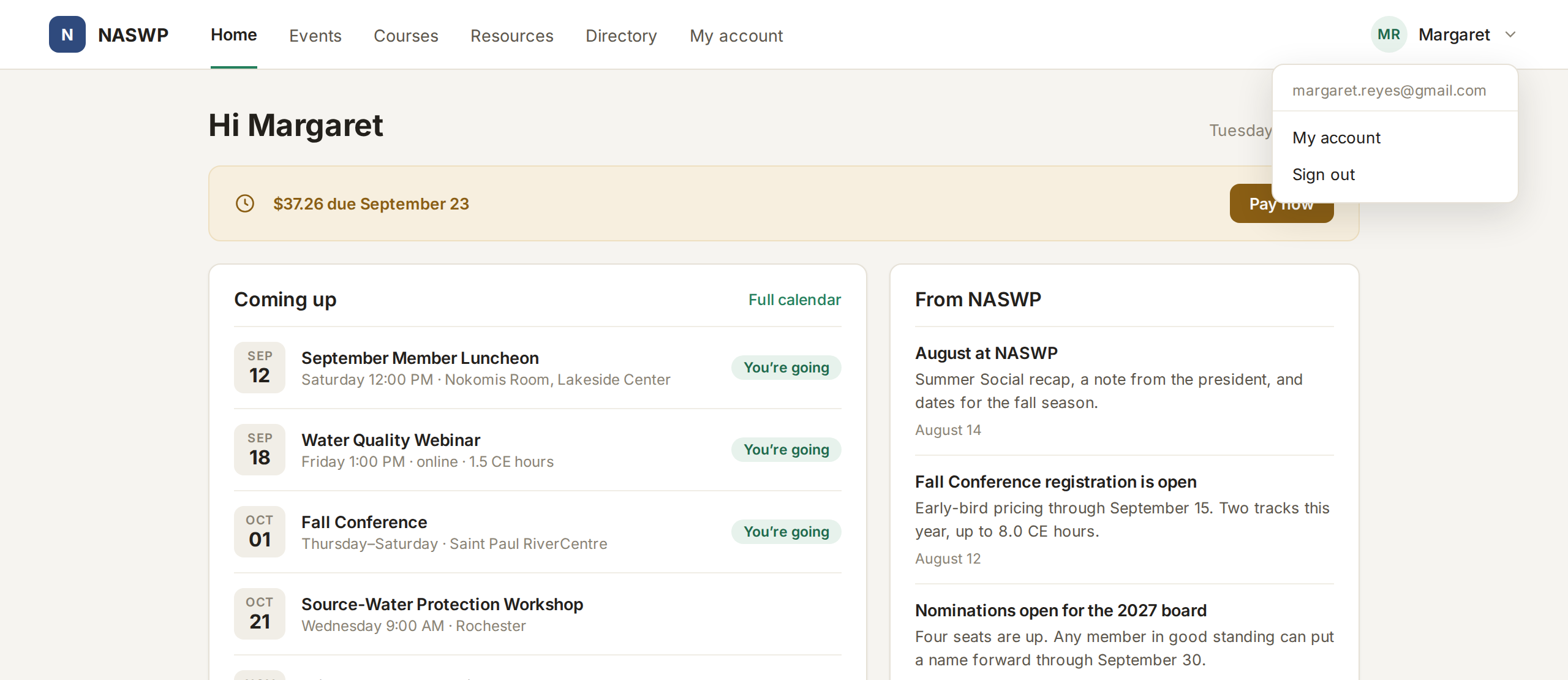
A portal members sign into without a password
Members renew, register, take courses and find documents in one portal on your own domain, signing in with a one-time link or with Google.
- Members manage their own membership and card
- Registrations with tickets and QR codes
- Members-only resources by section or for the board
And when you need something different, we build it in.
Chapters with their own dues, a credential registry, a conference with tracks, a link to another system. Our team builds it into your FullRoster at a fixed price and maintains it, so you never outgrow the product. How custom features work →
How much does MemberSuite cost?
MemberSuite doesn't publish prices, so there's no figure to set against ours. FullRoster is free for up to 1,000 active members, with every feature. Standard, which lowers the card rate and removes FullRoster branding, is priced by active members as below. When you get a MemberSuite quote, ask for the full first-year figure, including implementation and each add-on, and compare.
| Active members | Billed monthly | Billed yearly |
|---|---|---|
| Up to 1,000 | $199 a month | $1,908 a year |
| Up to 2,500 | $399 a month | $3,828 a year |
| Up to 5,000 | $699 a month | $6,708 a year |
| Up to 10,000 | $1,099 a month | $10,548 a year |
Card processing is 3.5% + 30¢ on Standard and 4.5% + 30¢ on Free, all-in, and members can choose to cover it. Above 10,000 active members, FullRoster is priced as a Custom plan. Full details on our pricing page.
How does MemberSuite compare with FullRoster?
| MemberSuite | FullRoster | |
|---|---|---|
| Price | Quoted after a demo, with add-ons quoted separately | Published: free for up to 1,000 active members, and Standard from $159 a month billed yearly |
| Built for | Mid- to upper-market associations with sophisticated membership structures | Associations of any size, including complex ones: on the Custom plan, what is specific to you is built into your FullRoster at a fixed price |
| Courses, community and website | GrowthZone lists GZ Learn, GZ Community and GZ CMS as add-ons, each quoted separately | Courses, quizzes, CE credits and certificates included on every plan |
| Moving your data | Part of your quote | Done by our team at no cost, typically a few weeks from your export to launch |
MemberSuite details checked November 5, 2026: MemberSuite AMS, GrowthZone pricing.
When might MemberSuite be the better pick?
If you already use other GrowthZone products, keeping MemberSuite in the same family may be simplest. If you're choosing fresh, FullRoster publishes its prices, includes courses and CE credits, and our team builds in what's specific to you.
How do you switch from MemberSuite to FullRoster?
We do the moving, at no cost, and a typical move takes a few weeks from your export to launch.
- Export from MemberSuite. Download your individuals, organizations and memberships as spreadsheets and send them to us.
- We bring it over. We set up your levels and bring over your members, families, company memberships, lapsed members and renewal dates.
- You check it. Nothing goes live until you've looked through it and said it's right.
- You launch. Tell members about the change in your own words, with an announcement you preview and edit first.
Plan the move around your MemberSuite renewal date, so you aren't paying for both. More detail is in Switching to FullRoster.
Still comparing? The best association management software puts eleven products side by side, and you can also see how FullRoster compares with GrowthZone and iMIS.
Built for every kind of association
FullRoster is shaped around how each kind of organization actually runs, from a local club to a national association with chapters.
Common questions
- Who owns MemberSuite?
- MemberSuite is now part of GrowthZone, which also makes the GrowthZone AMS and ChamberMaster. See FullRoster vs GrowthZone for the rest of its products.
- How much does MemberSuite cost?
- MemberSuite does not publish prices. GrowthZone’s pricing page asks you to request a demo, and to contact it for a custom quote for add-ons. FullRoster publishes every price, from free for up to 1,000 active members.
- Why switch from MemberSuite to FullRoster?
- For a simpler product at a published price: one record for every person, an AI assistant that answers questions from your own data, newsletters drafted for you, courses and CE credits, and QuickBooks entries that match your bank. It is free for up to 1,000 active members, and anything specific to you is built in at a fixed price.
- How long does switching take?
- A typical move takes a few weeks from your export to launch, and we do the moving for free. Most of that time is you checking the data and getting ready to tell members.
- Do members need to set up new passwords?
- No. Members sign in with a one-time link sent to their email, or with Google, so there are no passwords to create or reset.
- What if we need something FullRoster doesn't do?
- Our team builds it into your FullRoster at a fixed price and maintains it, from chapter dues splits to a credential registry.
About FullRoster. FullRoster is association management software that's free for up to 1,000 active members. Members, dues, events, email, courses and payments in one place, and we move your data over for you. See how it works →
More guides
All guides →Switch from MemberSuite. We'll move your data for free.
Book a demo and we'll show you FullRoster and plan your move. It's free for up to 1,000 active members.